30%
of your first-line IT team's time is spent on manual ticket classification.
OrbitDesk classifies, routes, replies and improves — on every ticket, every day. Three Anthropic Claude AI brains run in parallel, under human-in-the-loop control. An IT that self-optimizes — no black boxes.
Manual ticket triage, copy-pasting boilerplate replies, mis-classification that wrecks SLAs. It's routine. It's invisible. It's the first hidden cost of your helpdesk.
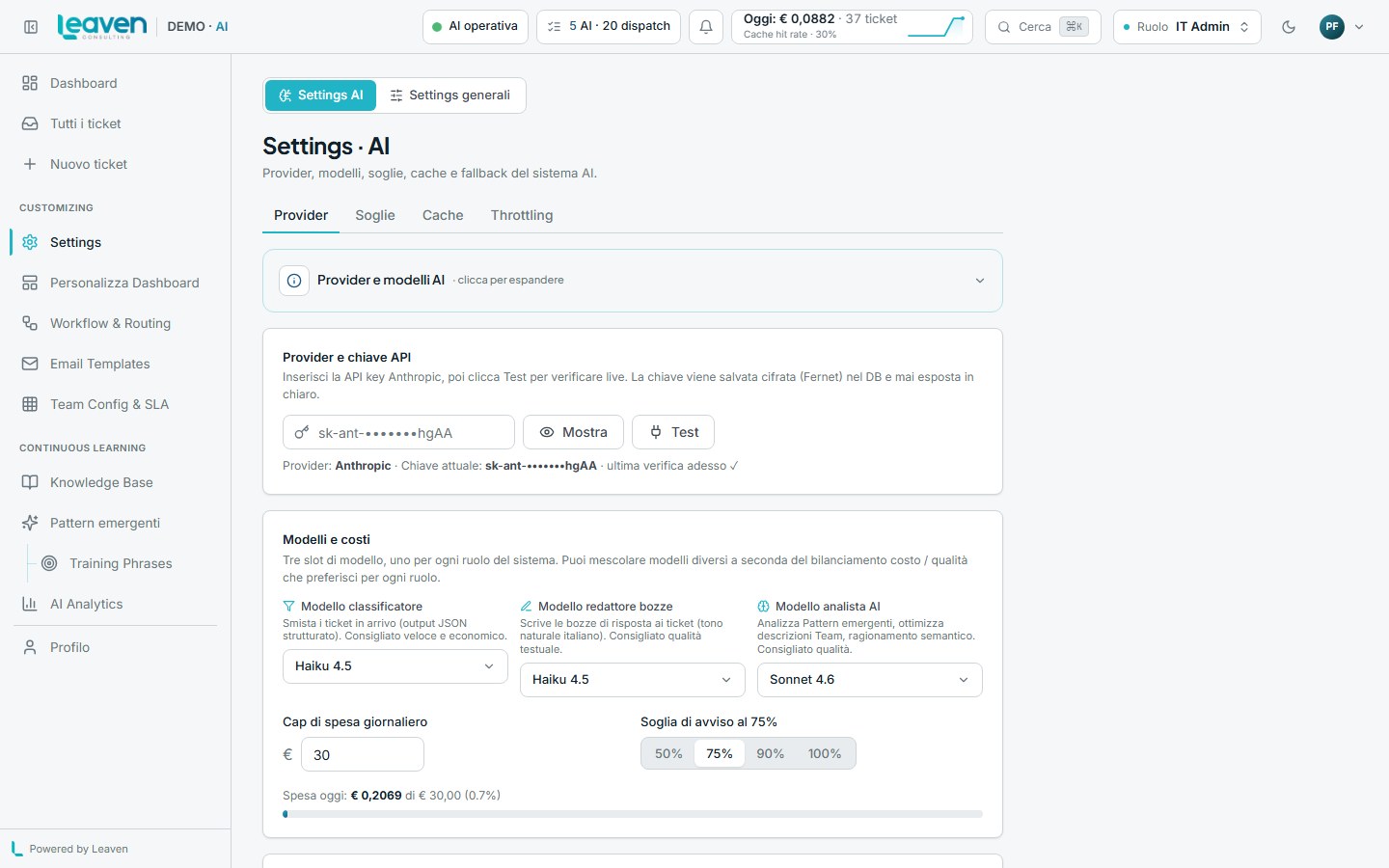
Specialised, swappable, replaceable. You pick the model per slot — OrbitDesk orchestrates them. Anthropic Claude by default, Gemini available in the dropdown.
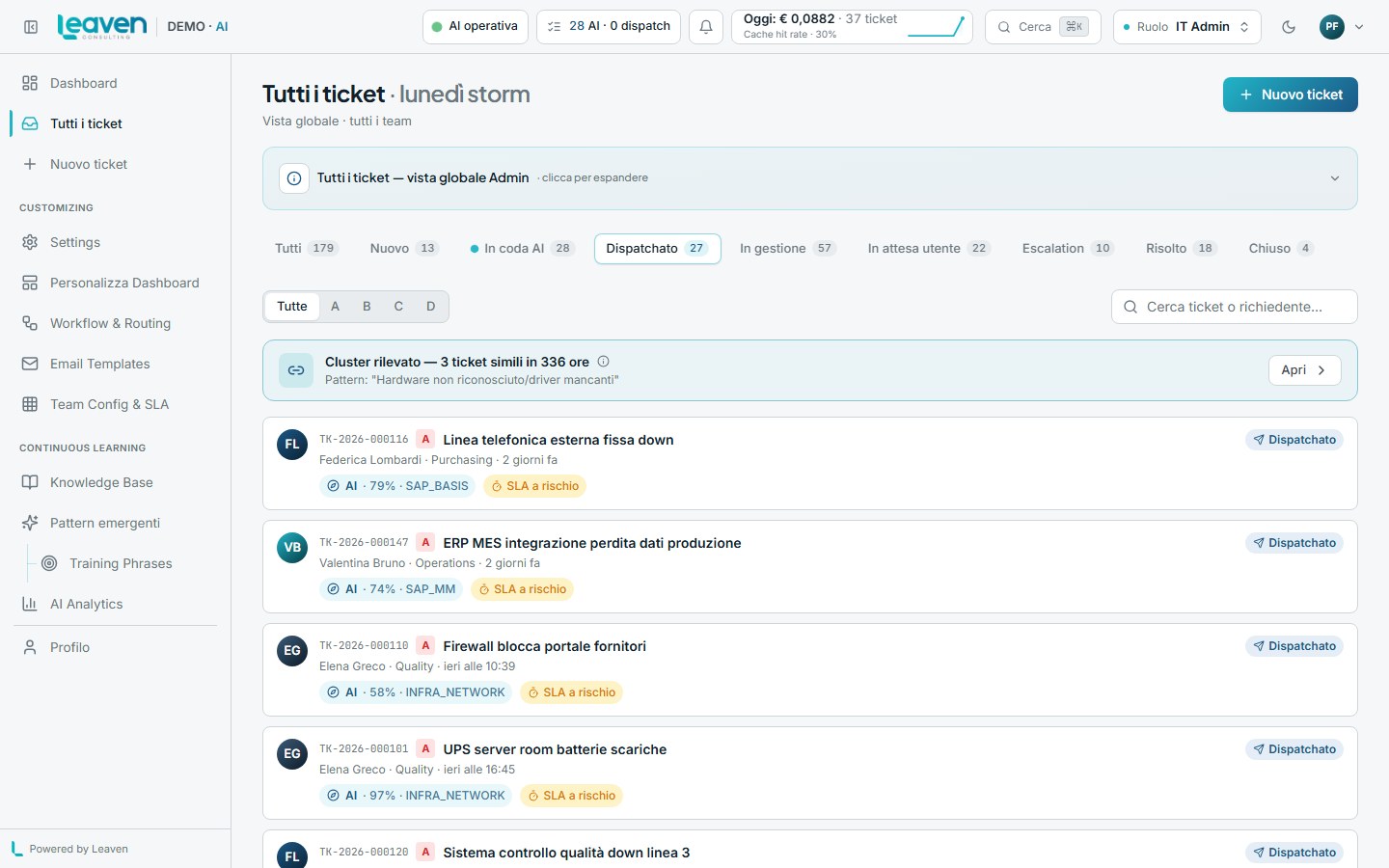
Routes every ticket by team, topic, equipment and scope. Understands your helpdesk's dialect — even internal tags nobody ever wrote down.
Generates reply drafts your operator approves with one click. Brand-consistent voice. Knows your knowledge base. Doesn't invent policies that don't exist.
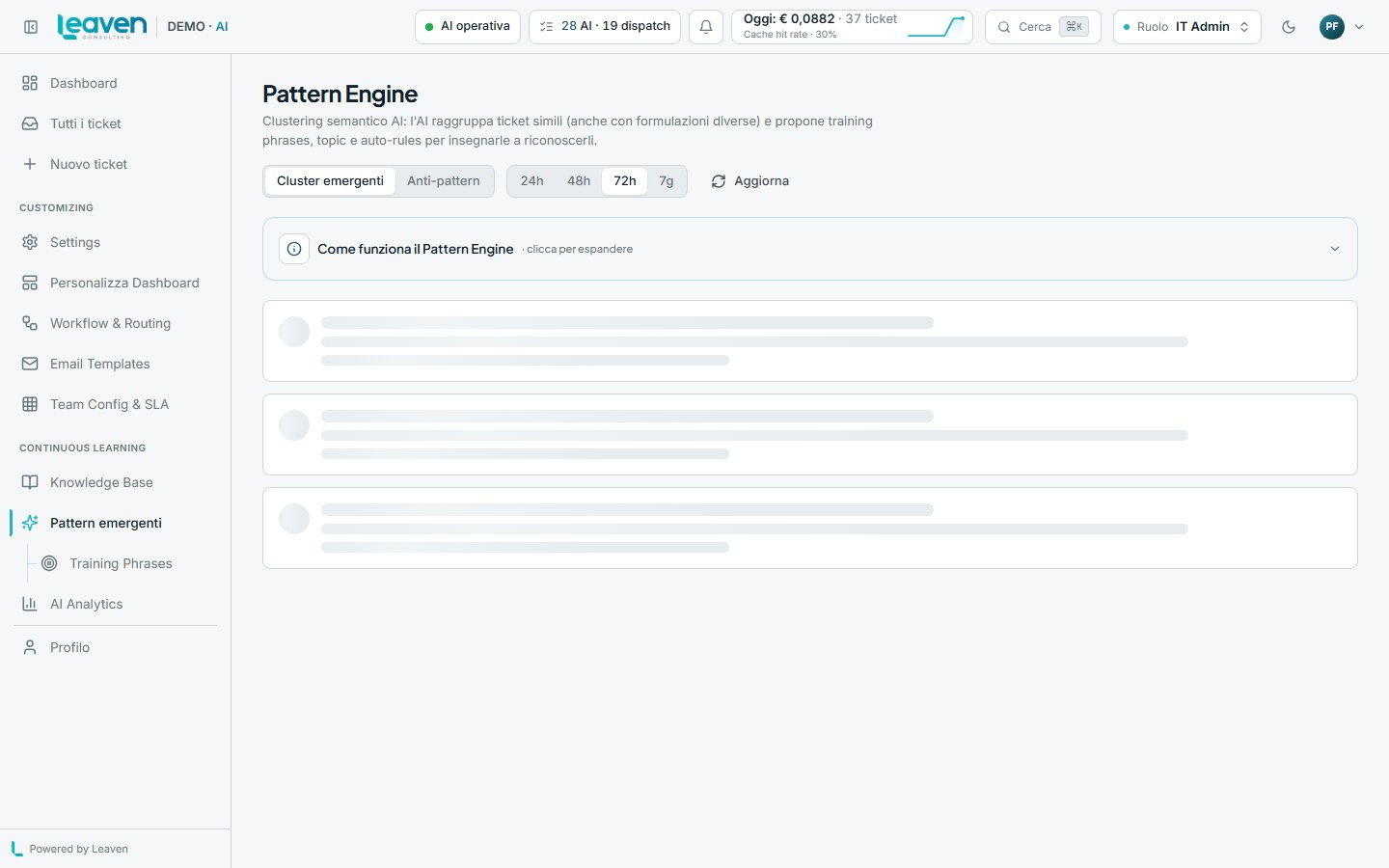
Detects emerging patterns in the ticket stream. Suggests new categories when volume grows. Warns when a procedure shifts behaviour before it turns into an escalation.
Not another ticket system. A helpdesk that learns from your team as they work, and gets more accurate every week.
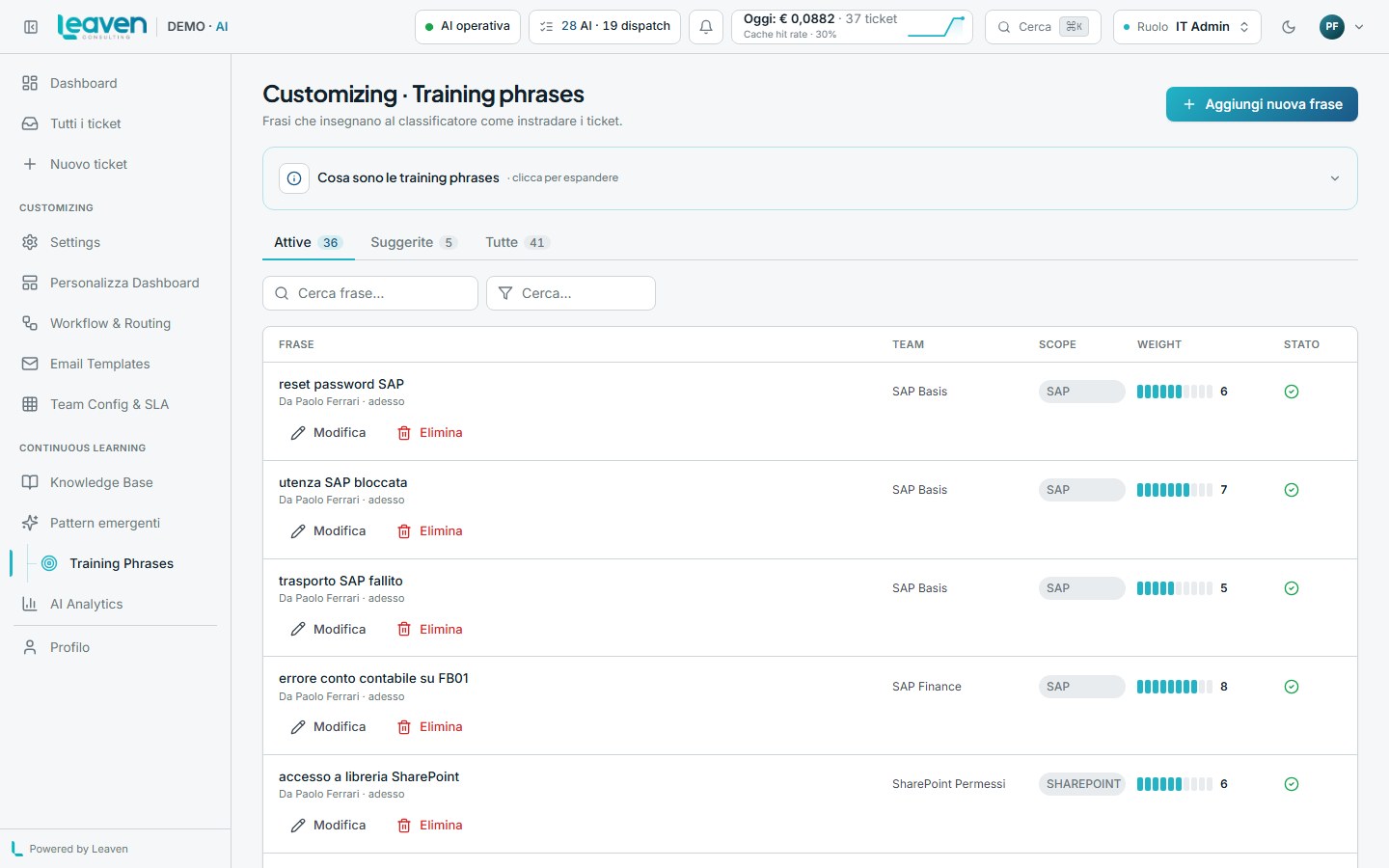
Similar-ticket cluster → a Lead promotes the pattern → tomorrow classification runs automatically at 95% confidence. The more you use it, the better it learns from your team — no external training set.
Operator escalates → the Lead receives a notification + dedicated inbox. No lost emails, no "I missed it".
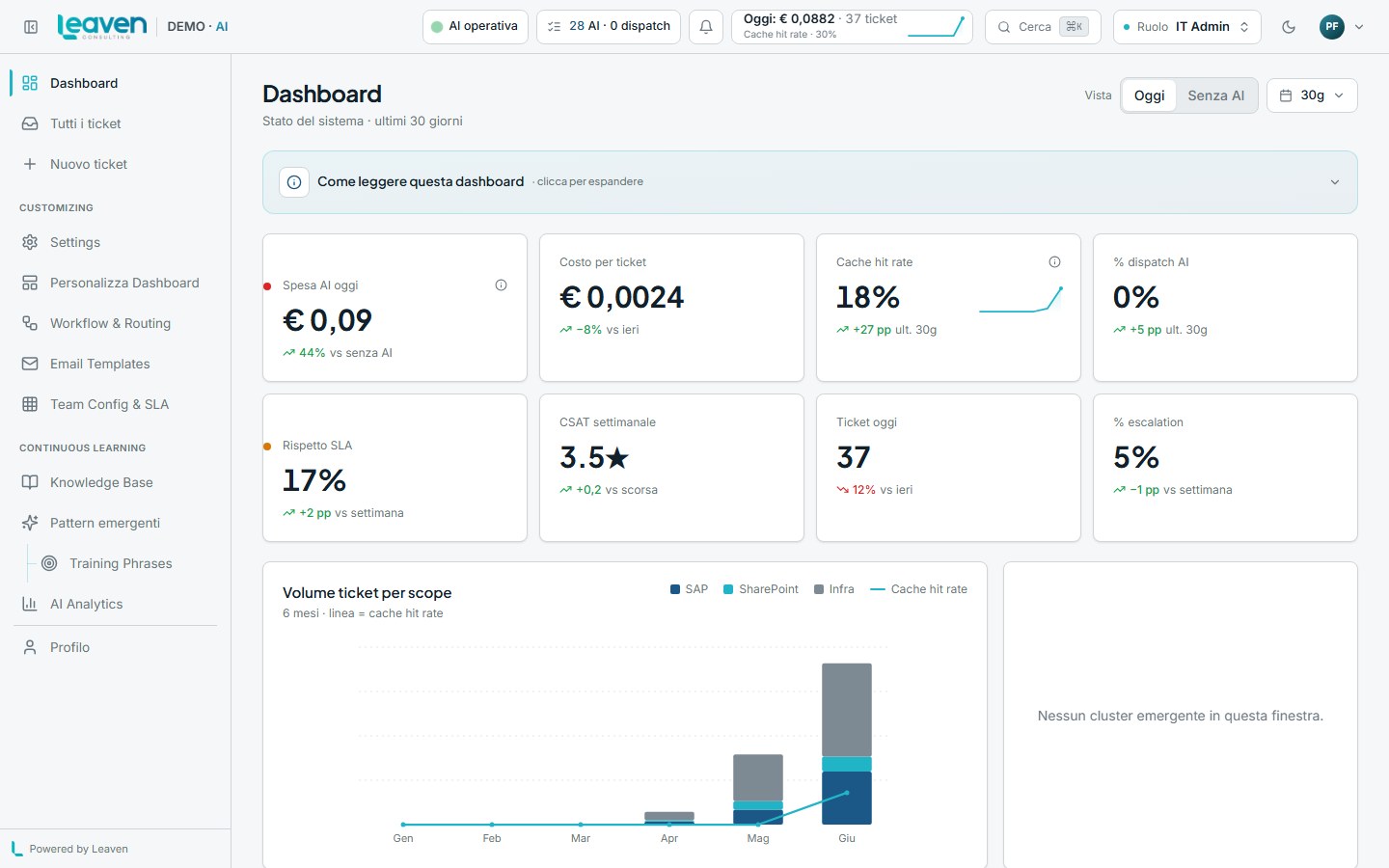
The IT Admin chooses which KPIs each role sees. The dashboard shows only what's configured — no generic metrics that ignore your context.
When three operators correct the same metadata, OrbitDesk auto-generates a new training phrase. Self-explaining toast: "I learned that printer jam is SUPPORT_HARDWARE".
AI drafts queued for Lead review. Approve → reply goes out. Reject → the AI learns that pattern was wrong and self-corrects.
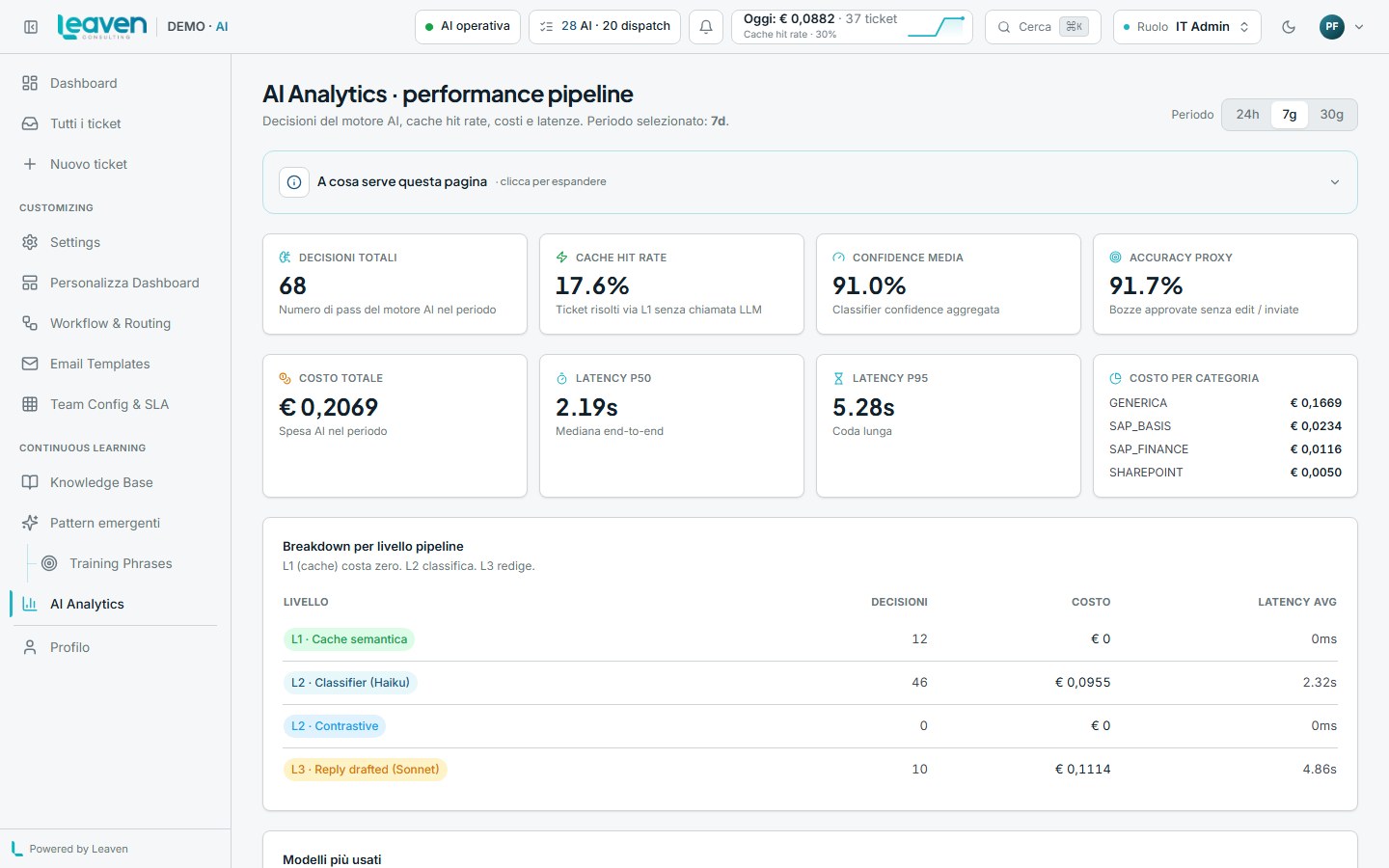
Every image below is a real screenshot of the running product, captured via Playwright against the demo app. No Photoshop.
Every AI decision is auditable. Every cost is capped. Every reply is reviewable. You decide when the AI can act on its own — and when a human must step in.
AI drafts above the confidence threshold go to a human before they go out. Configurable by category, team, and time-of-day.
Every classification and draft is logged with prompt, model, cost (EUR, 4 decimals), timestamp. Exportable for internal audit.
Set monthly ceilings for each AI slot. When the cap is near, the AI degrades gracefully (steps down to a cheaper model). No bill surprises.
Tunable thresholds for every AI action. Below threshold → human-in-the-loop. Above threshold → automatic. You set the acceptable risk.
REST, OAuth 2.0, Webhook, SAML. OrbitDesk talks to the systems you already run — no three-quarter integration project.
Quick answers to common questions. For everything else, the live demo answers better than a thousand slides.
Live demo, multi-user, real seed data. No signup, no sales call, no form to fill in.
Open the live demo